Pricing and value
Edit many items at once
Use Select to set asks and costs, mark gifts as free, add to a show or list on marketplaces in one go.

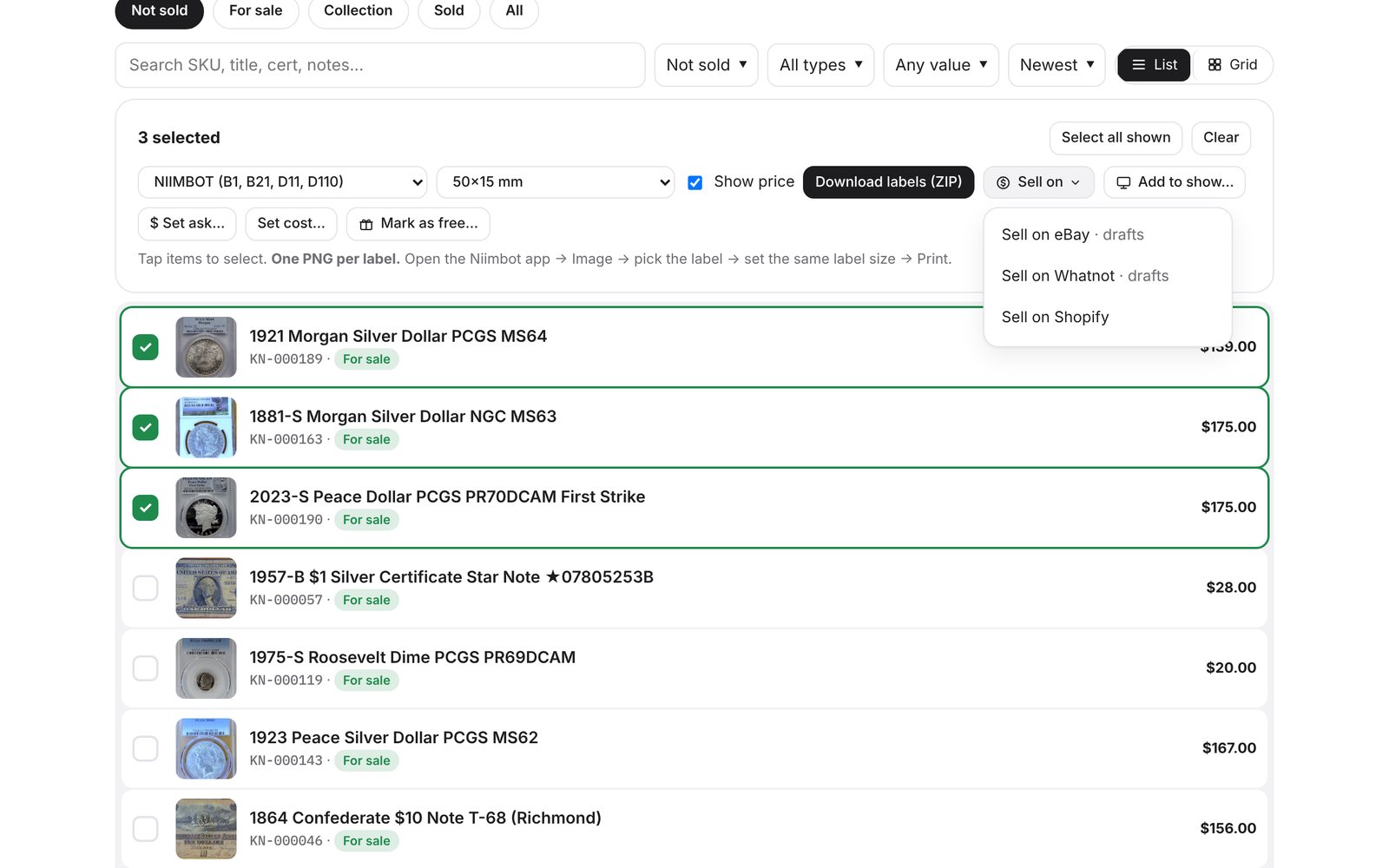
Start selecting
Tap Select at the top of your inventory, then tap the items you want, or Select all shown to take everything your filters show. Tap Done to leave.
What you can do
Sell on ▾: send the selected items to eBay (drafts), Whatnot (drafts) or Shopify. See Sell on eBay, Whatnot and Shopify.
Print labels: print to your NIIMBOT over Bluetooth, send to the Niimbot app on iPhone, or download a PDF.
Set ask…: price many items from market value, a percentage, an exact price, or your current ask ± % or $, with rounding and a never-below-melt-or-your-floor safety. Preview first, then Apply.
Set cost…: same cost for each, or split a lot total evenly, by market or by ask. Option to fill only items with no cost yet.
Mark as free: gifts, giveaways and inherited coins at $0 cost.
Add to show…: put items in a show pool for a live sale or coin show.
Every bulk change shows a toast with Undo for a few seconds. Sold items are never changed.


