Selling
Show mode for your table
A seller's screen for shows and live sales: scan a label, see your ask, melt, what you paid and talking points.

Show mode turns your laptop or tablet into a table screen. Scan a label with the webcam or a USB barcode scanner and the item's card pops up. Nothing is marked sold unless you tap Mark sold.
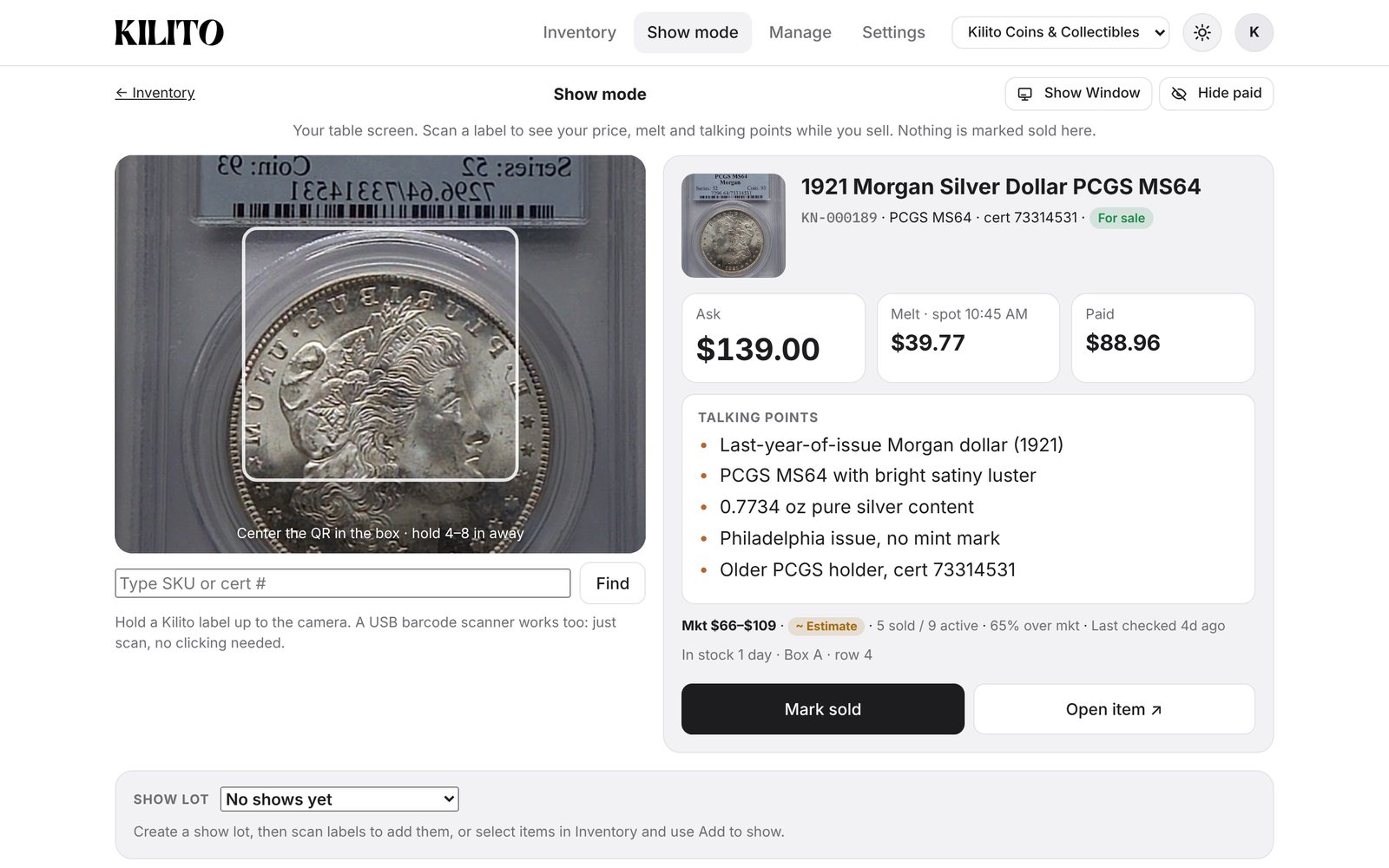
What the card shows
Photo, title, SKU, grade and cert
Ask, Melt (at today's spot) and Paid (only for people allowed to see costs)
A red warning if your ask is below melt
The market line, days in stock and storage location
Generate talking points · 1 credit: three or four quick facts to say about the coin
Keep costs off a screen buyers can see
Tap Hide paid or press H.
Scanners
Webcam: hold the label up to the camera.
USB barcode scanner: just scan. No clicking needed.
No scanner: type the SKU or cert # and tap Find.
Show lots
Pick a show lot at the bottom to see what's in it and what's sold so far. Create one with Select → Add to show….
Show mode is included in Shop and available as an add-on for Dealer. Turn it on or off in Settings → Selling tools.


